
Choosing between NAS Storage vs SAN Storage can be confusing. Both provide efficient ways to manage and store data, yet they serve different purposes. NAS offers simplicity and accessibility, while SAN delivers high-speed performance and scalability. Understanding how they differ helps you make the right decision for your business or home setup.

1. What Is NAS Storage?
Network Attached Storage (NAS) is a file-level data storage device connected to a network. It allows multiple users and devices to share files seamlessly.
NAS is popular for small businesses, home offices, and creative teams, thanks to its:
- Simple setup and maintenance
- Affordable cost compared to enterprise systems
- File-sharing convenience across multiple users
However, when too many people access it simultaneously, NAS performance can drop. It’s best suited for environments with moderate workloads and basic collaboration needs.

2. What Is SAN Storage?
Storage Area Network (SAN) is a block-level storage architecture that connects servers and storage devices through a dedicated network.
Unlike NAS, which uses standard Ethernet, SAN often relies on Fibre Channel or iSCSI, delivering:
- High-speed performance for mission-critical applications
- Large-scale scalability for growing enterprises
- Reliable uptime with redundant systems
Because of its complexity and cost, SAN is primarily used by large corporations, data centers, and cloud service providers.

3. NAS Storage vs SAN Storage: Key Differences
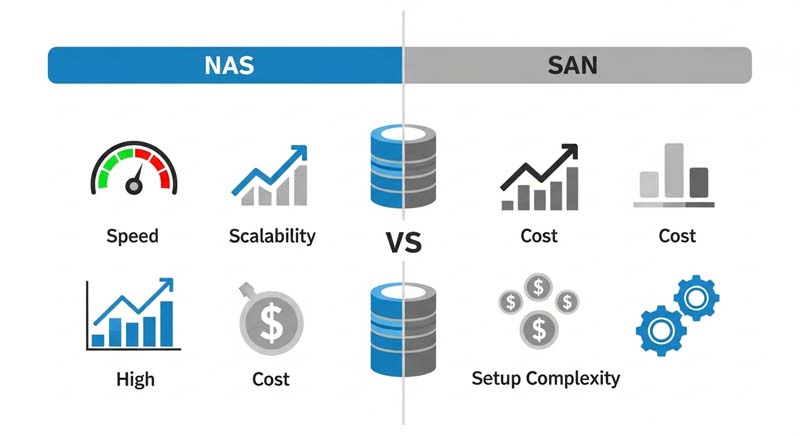
| Feature | NAS Storage | SAN Storage |
| Architecture | File-level storage | Block-level storage |
| Speed | Moderate | Very fast |
| Setup | Simple, plug-and-play | Complex, requires expertise |
| Scalability | Limited | High |
| Cost | Low | Expensive |
| Best Use Case | Small teams, file sharing | Enterprises, databases, virtualization |
In short, NAS Storage vs SAN Storage represents a trade-off between simplicity and performance. NAS is ideal for collaborative file access, while SAN supports demanding, data-intensive environments.
4. When to Choose NAS or SAN
- Choose NAS if you need a cost-effective, easy-to-manage system for file storage and backups.
- Choose SAN if your organization requires high-speed, low-latency access to large volumes of data for applications like virtualization, databases, or enterprise workloads.
For many companies, a hybrid approach—using NAS for general file sharing and SAN for mission-critical tasks—delivers the best of both worlds.
5. Final Thoughts
Both NAS Storage and SAN Storage play vital roles in modern data infrastructure. Your choice depends on budget, scale, and performance requirements.
NAS empowers teams with simplicity and collaboration, while SAN drives enterprise-grade efficiency and reliability.
Understanding NAS Storage vs SAN Storage ensures your business invests in the right technology for long-term growth.